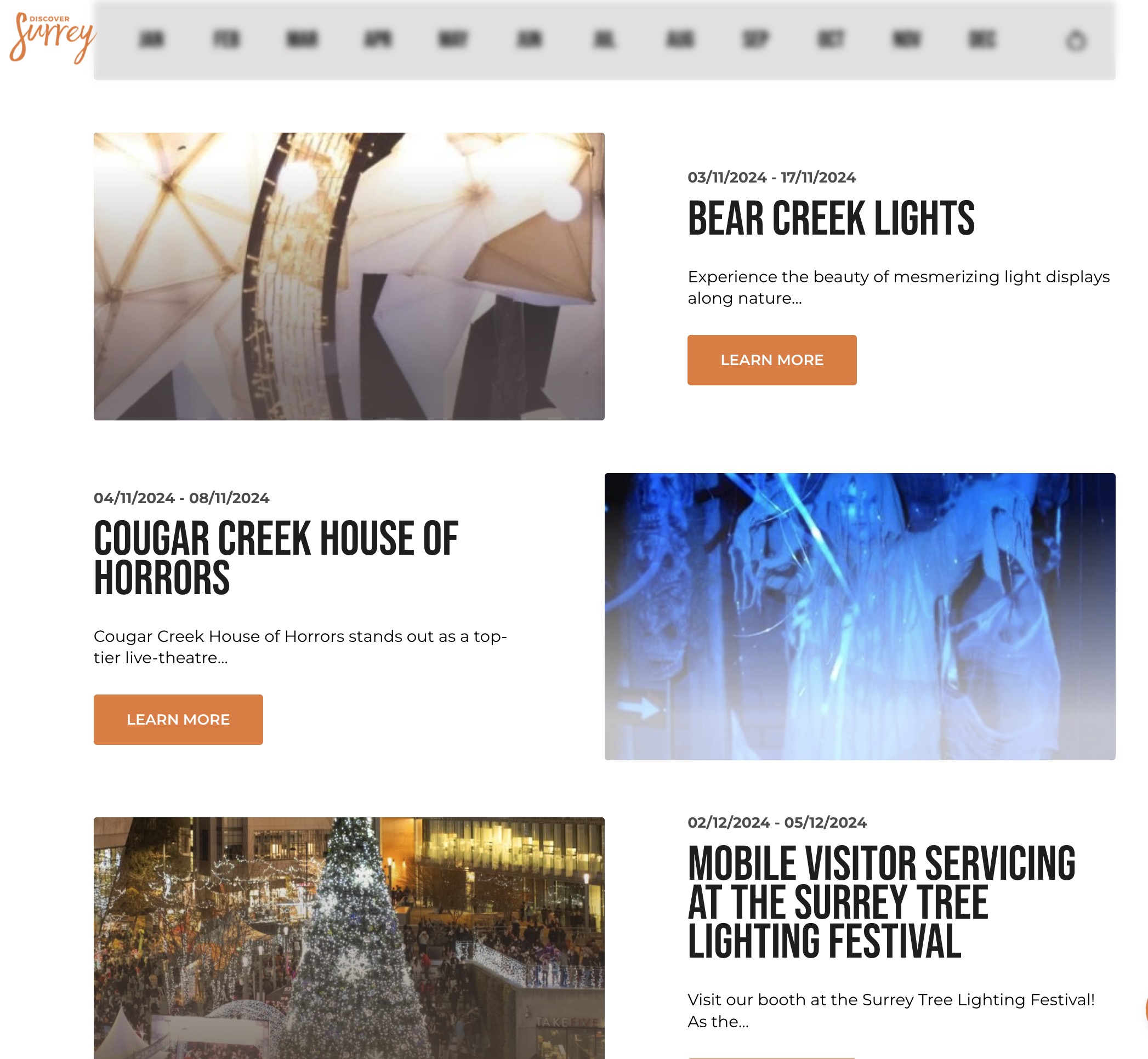
Events List Block
The Events List Block is designed to showcase a list of upcoming or featured events in a visually appealing and informative way. This block allows users to view event details, dates, and provides options for further interaction, such as links to event pages.
Block Configuration
Title
- Field: Title of the block displayed on the page.
- Example:
Events in Surrey BC
Headings
- Focus Text: A case-insensitive, comma-separated list of keywords that will remain in focus when the user interacts with the heading.
- Overline: Additional text displayed above the main heading.
- Type Scale: Select the heading size for this block.
Content
- Content Editor: Use this editor to add a description or introduction for the events section.
Media & Content Settings
- Case: Choose from options like
NormalorUppercasefor text case. - Animation: Add animations for interactive effects.
- Depth: Adjusts the visual depth of the content.
- Decoration: Additional design elements.
- Image: Upload an image for the header, enhancing visual appeal.
Links
- Add Link: Include buttons or hyperlinks to direct users to related content or pages.
Settings
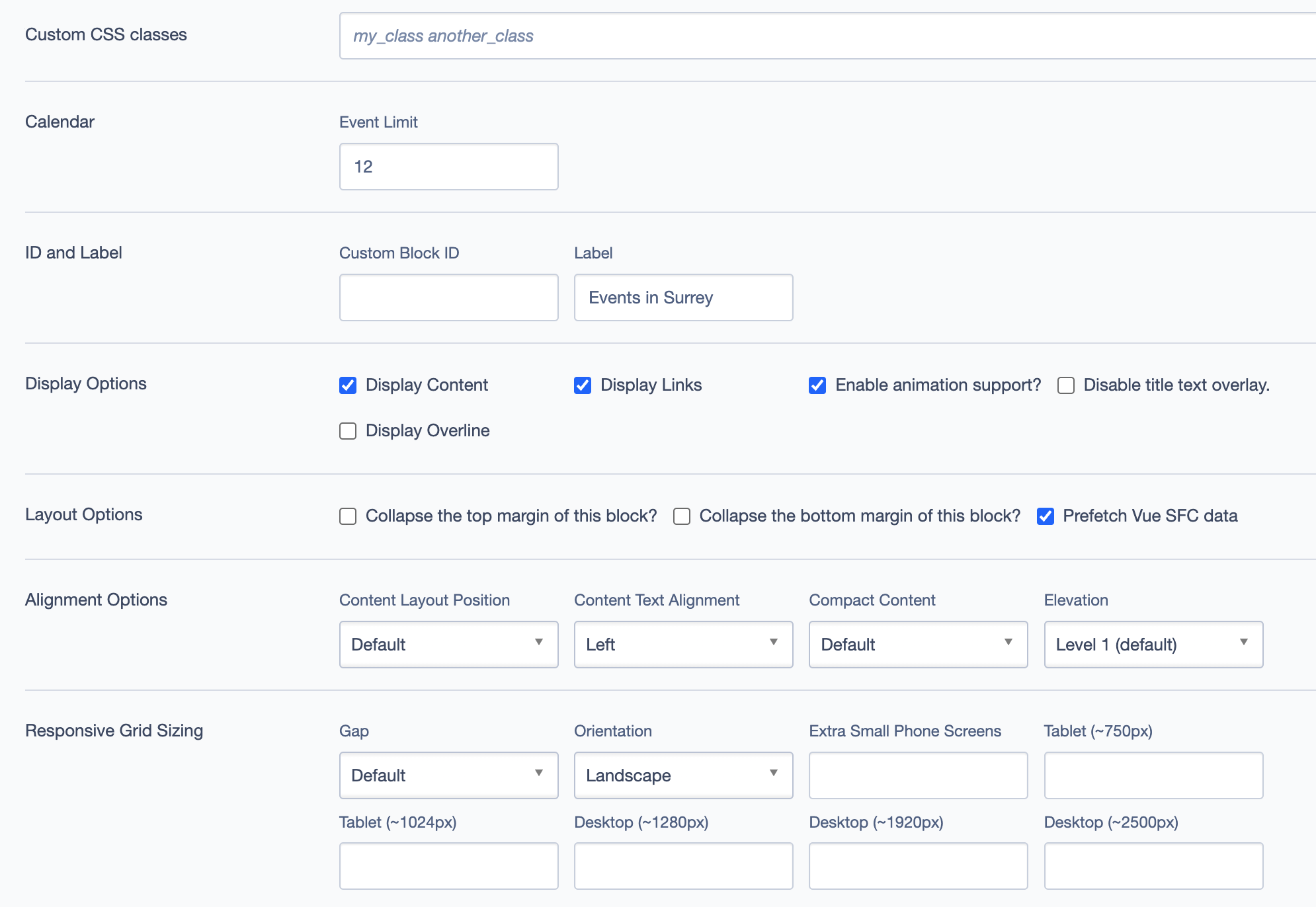
Custom CSS Classes
- Field: Add custom CSS classes to style the block uniquely.
ID and Label
- Custom Block ID: Assign a unique identifier for this block.
- Label: Optional descriptive label for the block.
Display Options
- Display Content: Toggle to show or hide the content area.
- Display Links: Toggle to show or hide the links area.
- Enable Animation Support: Adds animation to the block if enabled.
- Disable Title Text Overlay: Option to remove the overlay on title text.
- Display Overline: Toggle to show or hide the overline text.
Layout Options
- Collapse Top Margin: Removes the top margin for seamless block integration.
- Collapse Bottom Margin: Removes the bottom margin for seamless block integration.
- Prefetch Vue SFC Data: Optimizes data fetching for Vue Single-File Components.
Alignment Options
- Content Layout Position: Position of the content within the block (
Default,Left,Center, etc.). - Content Text Alignment: Align text content as needed (
Left,Center, etc.). - Compact Content: Adjust content density (
Default,Compact). - Elevation: Controls block elevation (
Level 1,Level 2, etc.).
Responsive Grid Sizing
- Gap: Define spacing between grid items.
- Orientation: Set block orientation, such as
Landscape. - Responsive Breakpoints: Customize grid settings for different screen sizes (e.g., mobile, tablet, desktop).
Asset Aspect Ratios
Define aspect ratios for images across various screen sizes:
- Examples:
- XL - Desktop (~1920px):
2:1 Landscape - XS - Mobile (~320px):
1:1 Portrait
- XL - Desktop (~1920px):
Virtual Lookup Title
- Field: This field is automatically generated and provides a unique title for the block.
Best Practices
- Keep Events Updated: Regularly update the events to keep information relevant and fresh for visitors.
- Provide Engaging Descriptions: Use descriptive and engaging content for each event to capture user interest.
- Use High-Quality Images: Ensure event images are high quality for a visually appealing experience. Highlight Important Events: Use the overline and focus text to emphasize key events or featured content.
Example Use Cases
- Upcoming Events Section: Display a curated list of upcoming events.
- Featured Events: Showcase specific events with promotional focus.