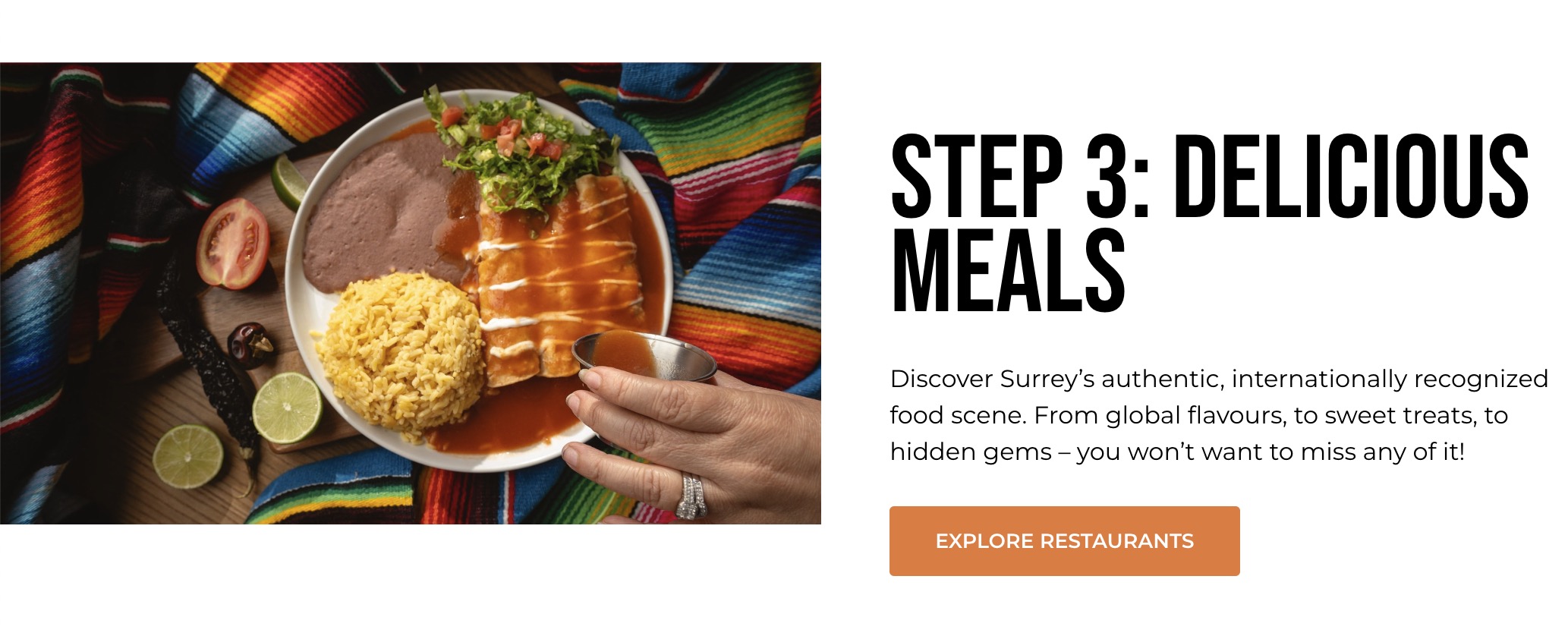
Triptych Block
The Triptych Block is designed to visually highlight key steps, features, or categories in a sequential and engaging layout. This block is ideal for guiding users through a series (e.g., travel steps, event highlights) with a compelling combination of images and concise text.
Block Settings
Content Tab
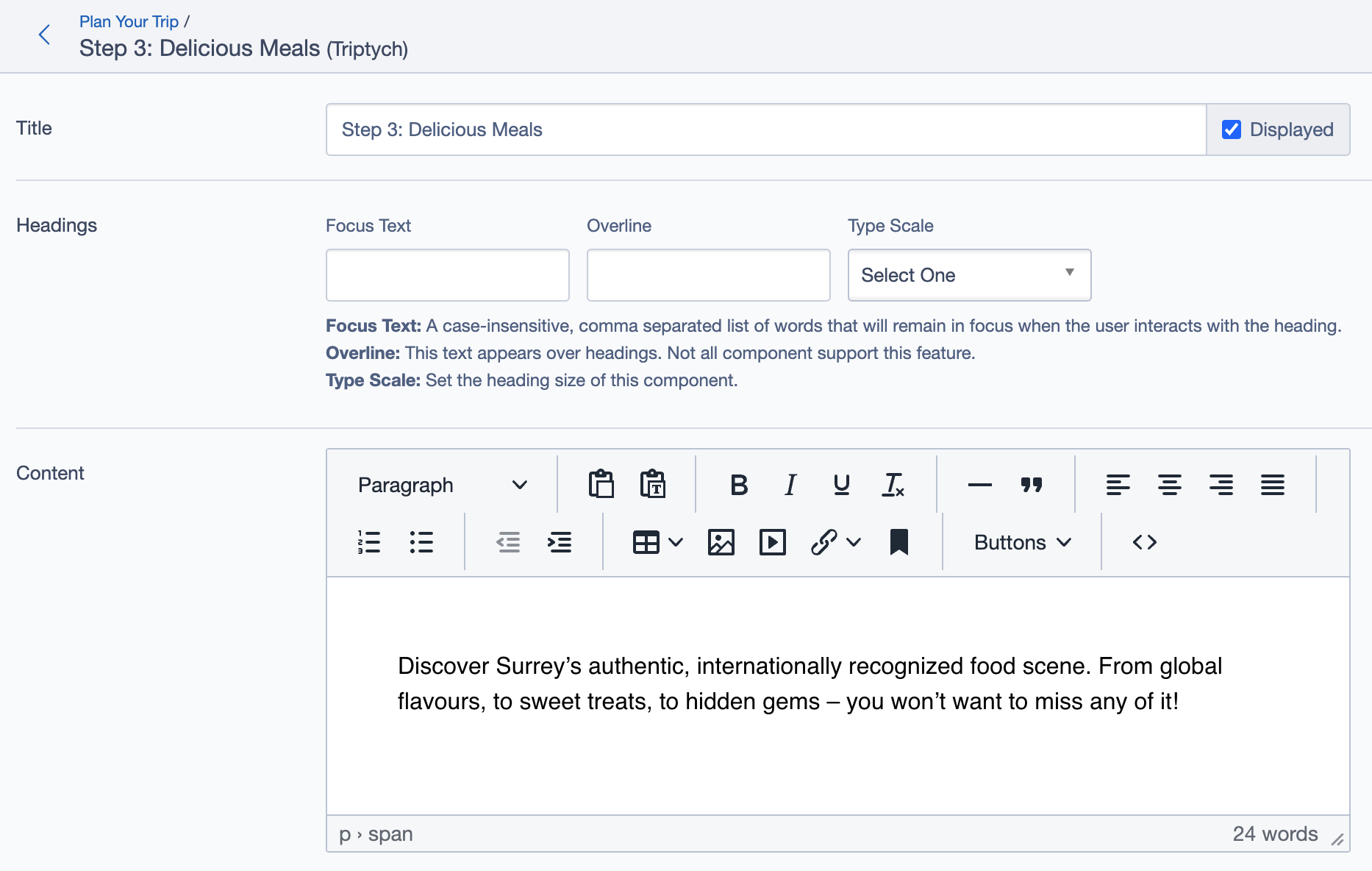
- Title: Set the title of the block (e.g., "Step 3: Delicious Meals").
- Headings:
- Focus Text: Keywords or phrases to keep in focus.
- Overline: Brief headline or descriptor above the title.
- Type Scale: Font size for headings.
- Content: Add a concise description (1-2 lines) relevant to the image. Example: "Discover Surrey’s authentic food scene with hidden gems and global flavors."
Media & Content Settings
- Panel Media: Choose
Defaultfor gutters andDiptychfor mode to enhance image presentation. - Images: Upload relevant images that align with the content for each section.
- Call to Action Link: Add a call-to-action (CTA) link (e.g., "Explore Restaurants") that directs users to the next page.
Settings Tab
Display Options: Enable
Display Content PanelandDisplay Linksto show text and links on the front end.Responsive Grid Sizing: Customize grid settings for various screen sizes to ensure optimal viewing on mobile, tablet, and desktop.
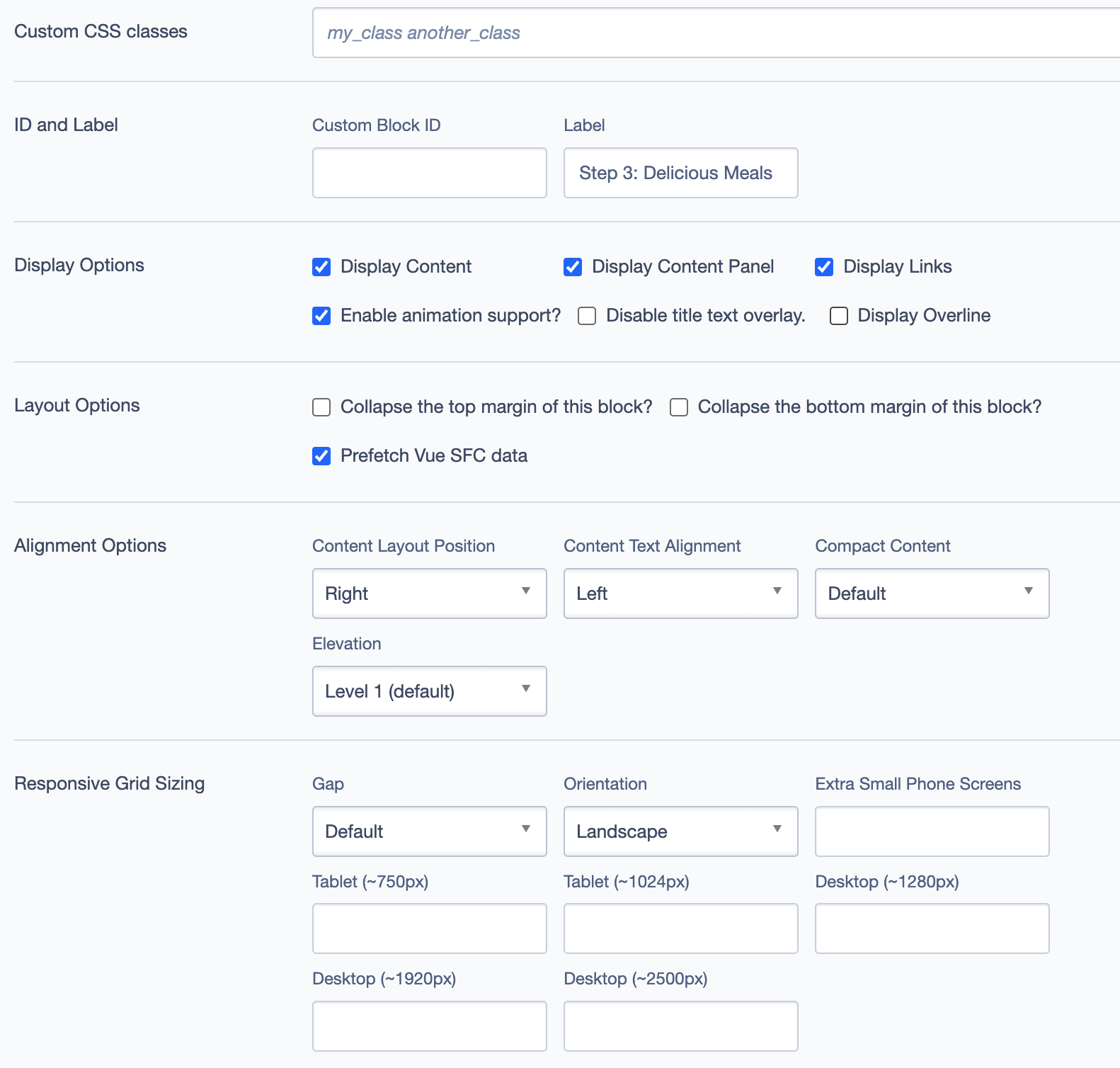
Asset Aspect Ratios: Set aspect ratios to ensure image consistency across devices:
- MM - Tablet-Wide (~1024px): 16:9, Landscape
- SM - Tablet (~750px): 1:1, Portrait
- XS - Mobile (<320px): 1:1, Portrait
Virtual Lookup Title: Automatically generated for linking.
Best Practices
- High-Quality Visuals: Use bright, relevant images that capture user attention and complement the text.
- Concise Descriptions: Keep text to one or two lines. Use action-oriented language for clarity.
- Clear CTA: Make the CTA button visible and engaging, with phrases like "Explore Restaurants."
- Responsive Design: Ensure the block looks great on all devices by setting proper aspect ratios and grid sizes.
- Unified Theme: Ensure visual and textual elements align with the overarching theme or style of the website.
Example Use Case
In this example, the Triptych Block is used to guide users through a sequence of experiences in Surrey, such as exploring local food scenes. Each section has an image, a short description, and a call-to-action button, making it visually appealing and interactive.
Triptych Block Overview